





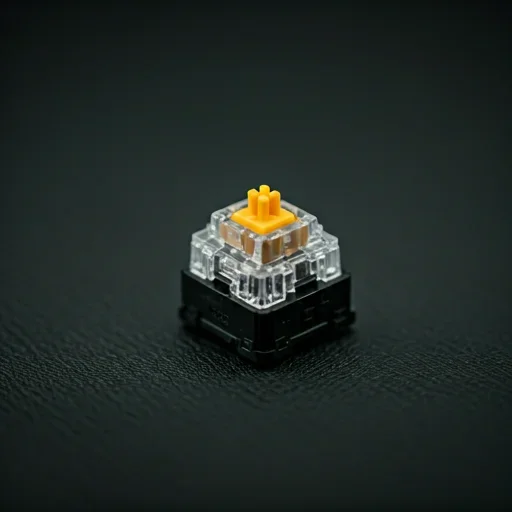


A Simple Auto Keyboard Presser to Automate Repetitive Key Presses

Run continuous auto-keypress automation with Auto Key Presser, a lightweight auto-key presser and keyboard auto-clicker designed for speed, stability, and complete user control.

Response Time

0.001ms

Windows • macOS • Linux • Android • Chromebook

Built for Real Keyboard Automation Tasks

Auto Key Presser automates repeated keystrokes so you don’t have to press the same keys manually. Set the interval, start automation, and maintain consistent keyboard input for games, tasks, or testing workflows.

Powerful Features for Faster
Keyboard Automation

Control key presses, configure timing, and run keyboard automation effortlessly without complicated scripts.

Core Architecture

Automate Repeated Key Presses

Automatically press the selected keyboard keys repeatedly, so you no longer need to enter the same input manually.
Configure Exact Press Intervals

Define precise delays between keystrokes to maintain consistent auto keypress automation for gaming, workflows, or testing.

Start or Stop Instantly with Hotkeys

Assign custom hotkeys to start or stop the auto key presser without leaving your active application.

Automate Key Combinations

Simulate complex keyboard actions by automating single keys or multiple key combinations.

Run Automation in the Background

Continue using other applications while the keyboard auto clicker runs smoothly in the background.
Maintain Lightweight Performance

Operate the automatic keyboard presser without consuming heavy system resources or slowing down your computer.


How Auto Key Presser Works

01

Download Key Presser

Download the official Auto Key Pressor file from the website, then open the application on your device.

02

Choose the Key

Select the keyboard key or key combination you want Key Presser to automate.

03

Set the Press Interval

Define the delay between each key press to control how fast or slow the automation runs.

04

Configure Hotkeys

Assign hotkeys for start and stop to control automation instantly without leaving your active application.

05

Start Automation

Activate Auto Key Presser to handle repetitive keystrokes automatically.

06

Stop Anytime

Press the stop hotkey to end automation immediately.

Where an Auto Key Presser Is Most Useful

Gaming & AFK Tasks

Maintain consistent key presses during long gameplay sessions or automate repetitive in-game actions while staying in control of when automation starts and stops.

Productivity & Repetitive Typing

Automate repeated commands, shortcuts, or typing tasks in applications to speed up workflows and reduce manual input.

QA Testing & Automation

Simulate repeated keyboard input for software testing, debugging, and application behavior verification without manual intervention.

Accessibility Support

Assist users who need automated key pressing to interact with applications more comfortably and reduce repetitive strain.

System Requirements for Key Presser

Supported Operating Systems Windows 7
Windows 8
Windows 10
Windows 11
File Size ~2 MB
Latest Version Key Pressor v1.0
Compatibility Works with standard keyboards across games, applications, and productivity tools.

What Users Say

Frequently Asked Questions

Is Auto Key Presser safe to use?

Yes. Auto Key Pressor is a clean, lightweight automation tool that does not modify system files, install background services, or bundle third-party software. It runs only when you open it and stops completely when you close it.

Yes. Auto Key Presser is available as a free download and does not require registration, subscriptions, or activation to use its core keyboard automation features.

You can stop automation instantly using the assigned stop hotkey or by closing the application. Auto Key Pressor gives users full control over when key presses start and stop.

Yes. Auto Key Presser can automate keyboard inputs in many games that rely on repeated key presses. Users can configure the key, interval timing, and hotkeys to match their gameplay needs.

Yes. Auto Key Presser supports single-key presses and key combinations, allowing users to automate more complex keyboard actions as needed.

Start Automating Your Keyboard Inputs

Stop repeating the same keystrokes manually.

Use Auto Key Presser, the fast and reliable auto key presser, to automate keyboard inputs with speed, precision, and full control.